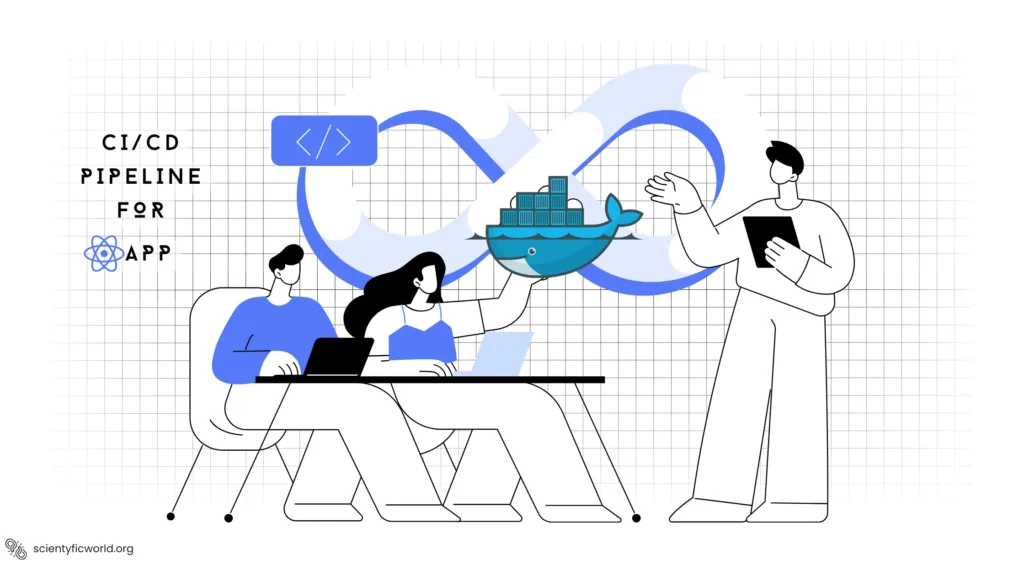
A good CI/CD pipeline for a React Native app answers three questions on every change: does it still compile, do the tests pass, and can we get a build to testers without someone doing it by hand? This guide builds that pipeline with GitHub Actions, and it is honest about where Docker helps and where it cannot.
Updated October 2026: I rewrote this 2024 post. The original title promised a “Dockerized” pipeline, but most of its workflow steps were placeholders that only printed a message (monitoring, backups, “deploy to App Stores”), and it built the app on a macOS runner while also running docker build, which does not make sense for a mobile app. The key facts it missed: per the React Native setup guide, iOS apps can only be built on a Mac with Xcode, so iOS cannot be built inside a Docker container. This version contains workflows that I linted and that use current action versions, and it puts Docker where it genuinely helps.
Where Docker Fits in React Native CI/CD
| Task | Docker? | Why |
|---|---|---|
| Lint, type-check, unit tests (JavaScript) | Optional | Runs on any Linux box. A container only helps if you want the exact same environment locally and in CI |
| Android build | Possible | Needs a JDK and Android SDK. GitHub’s Ubuntu runners already have the Android tooling, so a custom image mostly helps if you need a pinned, reproducible toolchain |
| iOS build | No | Requires macOS and Xcode. Use a macOS runner or a cloud build service |
| Your backend or API | Yes | This is where Docker shines: build the image, push it to a registry, deploy it |
So a practical mobile pipeline has two parts: a CI workflow that checks every change (JavaScript on Linux, Android on Linux), and a release workflow that produces store-ready builds, ideally through a service that already has the macOS and signing infrastructure.
Prerequisites
- A React Native project in a GitHub repository, with
lintandtestscripts inpackage.json. The React Native docs currently require Node 22.11 or newer and recommend JDK 17 for Android, so the workflows below use Node 24 and JDK 17. - Jest (or similar) tests and ESLint, so the pipeline has something to check.
- For releases: an Expo account and an EAS-configured project. EAS Build also works for bare React Native projects, and its setup guide explains how to create
eas.jsonand the credentials. You must runeas buildonce locally first, as the EAS CI docs say, so the project ID and credentials exist.
Step 1: Continuous Integration Workflow
Create .github/workflows/ci.yml. It runs on every pull request and every push to main:
name: CI

on:
  pull_request:
  push:
    branches: [main]

concurrency:
  group: ci-${{ github.ref }}
  cancel-in-progress: true

permissions:
  contents: read

jobs:
  check:
    name: Lint, type-check and test
    runs-on: ubuntu-latest
    timeout-minutes: 15
    steps:
      - uses: actions/checkout@v7
      - uses: actions/setup-node@v7
        with:
          node-version: 24
          cache: npm
      - run: npm ci
      - run: npm run lint
      - run: npx tsc --noEmit
      - run: npm test -- --ci --coverage
      - uses: actions/upload-artifact@v7
        if: always()
        with:
          name: coverage
          path: coverage/
          if-no-files-found: ignore

  android:
    name: Android debug build
    needs: check
    runs-on: ubuntu-latest
    timeout-minutes: 40
    steps:
      - uses: actions/checkout@v7
      - uses: actions/setup-node@v7
        with:
          node-version: 24
          cache: npm
      - uses: actions/setup-java@v6
        with:
          distribution: temurin
          java-version: 17
          cache: gradle
      - run: npm ci
      - name: Build debug APK
        working-directory: android
        run: ./gradlew assembleDebug
      - uses: actions/upload-artifact@v7
        with:
          name: app-debug-apk
          path: android/app/build/outputs/apk/debug/*.apk
What each part is for:
concurrencywithcancel-in-progressstops older runs of the same branch when you push again, which saves minutes.permissions: contents: readgives the workflow token the minimum rights. Grant more only to a job that needs it.cache: npminsetup-nodeandcache: gradleinsetup-javareplace the manual cache steps from older tutorials. Usenpm ci, notnpm install, so the build uses the exact versions in your lockfile.needs: checkmeans the slower Android build only starts if the quick checks pass.if: always()on the coverage upload keeps the report available even when tests fail, which is when you most want it.timeout-minutesprevents a hung build from using hours of runner time.
I validated this file and the release workflow with actionlint, which found no errors, and I confirmed each action’s version tag exists. I did not run the workflows on GitHub, because that needs your repository and an Android project; expect to adjust script names and paths to your project.
Step 2: The iOS Question
You have three realistic choices for iOS:
- EAS Build (or another cloud build service). The service owns the macOS machines, Xcode versions and code signing. Easiest to set up, and the choice used in the release workflow below.
- A GitHub-hosted macOS runner. Use a label such as
macos-15ormacos-26, runningxcodebuildor Fastlane. See GitHub’s list of hosted runners. macOS minutes cost more than Linux minutes, so review the Actions billing documentation and run iOS builds only on main or release branches instead of every pull request. - Your own Mac as a self-hosted runner. Cheapest for heavy use, but you maintain the machine and must secure it, and you should never let untrusted pull requests run on it.
Step 3: Release Workflow With EAS Build
This workflow starts a production build for both platforms when you push a version tag such as v1.4.0, or when you trigger it manually. It follows the pattern in Expo’s building on CI guide:
name: Release

on:
  push:
    tags: ['v*']
  workflow_dispatch:

permissions:
  contents: read

jobs:
  eas-build:
    name: Build with EAS
    runs-on: ubuntu-latest
    timeout-minutes: 20
    environment: production
    steps:
      - uses: actions/checkout@v7
      - uses: actions/setup-node@v7
        with:
          node-version: 24
          cache: npm
      - uses: expo/expo-github-action@v8
        with:
          eas-version: latest
          token: ${{ secrets.EXPO_TOKEN }}
      - run: npm ci
      - name: Build both platforms on EAS
run: eas build --platform all --profile production --non-interactive --no-waitEXPO_TOKENis a personal or robot access token from your Expo account, stored as a GitHub secret (see below).--non-interactivedisables prompts so the command can run in CI.--no-waitmakes the workflow finish as soon as the build is queued, and Expo’s guide notes that you are not billed for CI time while the build runs on EAS servers. Remove it if you want the job to wait and fail when the build fails.environment: productionlets you put a required reviewer or a secrets scope on releases in the GitHub repository settings, so a tag alone cannot ship an app.
Submitting to the stores
After a build finishes, EAS Submit uploads it to the stores. Per the EAS Submit docs, it needs an App Store Connect API key for Apple and a service account JSON file for Google Play, and in CI you run it non-interactively, for example:
eas submit --platform android --latest --non-interactiveMany teams keep submission as a manual approval step at first. Automating it makes sense once your tests and staged rollouts are trustworthy.
Handling Secrets Safely
- Store tokens, keystores and API keys as GitHub encrypted secrets (repository or environment secrets), as described in GitHub’s secrets guide. Never write them into workflow files,
.envfiles in the repository or Dockerfiles. - Do not echo secrets and avoid commands that print the environment. GitHub masks known secret values in logs, but derived values (for example a base64 version of a keystore) are not masked automatically.
- Keep production credentials out of pull-request workflows. Workflows triggered by pull requests from forks do not get secrets by default; keep it that way.
- Pin third-party actions carefully. Version tags are convenient, but for actions that handle your secrets, such as the Expo action, consider pinning to a full commit SHA and updating it deliberately.
- Use the narrowest token scope available and rotate tokens when team members leave.
Optional: A Docker Image for JavaScript Checks
If you want contributors and CI to run exactly the same checks in the same environment, a small image does that. This is useful for lint and unit tests only; it cannot build the iOS app:
FROM node:24-slim
WORKDIR /app
COPY package.json package-lock.json ./
RUN npm ci
COPY . .
CMD ["sh", "-c", "npm run lint && npx tsc --noEmit && npm test -- --ci"]
docker build -t myapp-checks .
docker run --rm myapp-checksI could not run Docker on the machine where I prepared this post, so this Dockerfile is a standard Node pattern that I did not build here. If your React Native project is in a monorepo, copy the workspace manifests too. For your server-side code, see how to Dockerize a React app for a production-style web image.
Release Strategy for Mobile Apps
Web-style “blue-green” and “canary” deployments do not map directly to app stores, because users control when they install an update and you cannot roll back a binary on their device. What works instead:
- Internal and beta tracks first. Send builds to TestFlight and the Google Play internal or closed testing tracks before production.
- Staged rollouts. Both stores support releasing gradually (a percentage of users on Google Play, phased release on the App Store), which is the mobile version of a canary.
- Over-the-air updates for JavaScript-only fixes (for example with EAS Update) can ship a corrected bundle without a new store review, within the store policies on what may change.
- Version everything. Increment the version and build number automatically, tie each build to a git tag, and keep release notes.
- Feature flags let you switch off a broken feature remotely when you cannot roll back the binary.
Monitoring After Release
A pipeline that ends at “uploaded” is only half a pipeline. Add crash and performance reporting to the app itself (for example Sentry or Firebase Crashlytics), watch the crash-free session rate for each new version, and set an alert on regressions. Upload source maps and debug symbols as part of the release workflow so stack traces are readable. Review the store consoles’ vitals as well.
Common Pitfalls
- Node or JDK versions drifting. Pin them in the workflow and match them to the React Native requirements for your version.
- Missing lockfile.
npm cifails withoutpackage-lock.json. Commit it. - Gradle runs out of memory. Large Android builds may need
org.gradle.jvmargstuned inandroid/gradle.properties. - Slow builds. Check that caching is actually hitting, run Android builds only when native or JavaScript code changed, and keep iOS builds to the main branch.
- Signing surprises. Debug builds need no signing, which is why the CI job builds a debug APK. Release builds need a keystore or EAS-managed credentials.
Conclusion
Keep the pipeline simple and real: fast JavaScript checks on every change, an Android debug build to catch native breakage, and a tag-triggered release that hands iOS and Android builds to a service with the right machines and credentials. Use Docker where it adds value (your backend, reproducible JavaScript checks), not as a way to build iOS. Start with the two workflows above and add stages only when each one has a job to do.
Can I build a React Native iOS app in Docker?
No. Building an iOS app requires macOS and Xcode, and Docker containers on Linux cannot provide that. Use a macOS runner, your own Mac, or a cloud build service such as EAS Build for iOS.
Do I need Docker for React Native CI/CD at all?
No. GitHub-hosted runners already include Node, Java and the Android tooling. Docker is useful for your backend services or if you want an identical, pinned environment for JavaScript checks locally and in CI.
How do I manage secret keys in GitHub Actions for React Native?
Use GitHub encrypted secrets (repository or environment secrets) for tokens, keystores and API keys, reference them as secrets in the workflow, never commit them, and rotate them if they leak. Keep production secrets out of workflows triggered by pull requests from forks.
Which GitHub Actions versions should I use?
Use current major versions such as actions/checkout v7, actions/setup-node v7 and actions/upload-artifact v7, and check each action’s releases page when you update. For actions that handle secrets, consider pinning to a full commit SHA.
How do I roll back a bad mobile release?
You cannot roll back a binary on users’ devices. Halt the staged rollout, ship a fixed build, use an over-the-air update for JavaScript-only fixes where your policy allows it, and use feature flags to disable broken features.