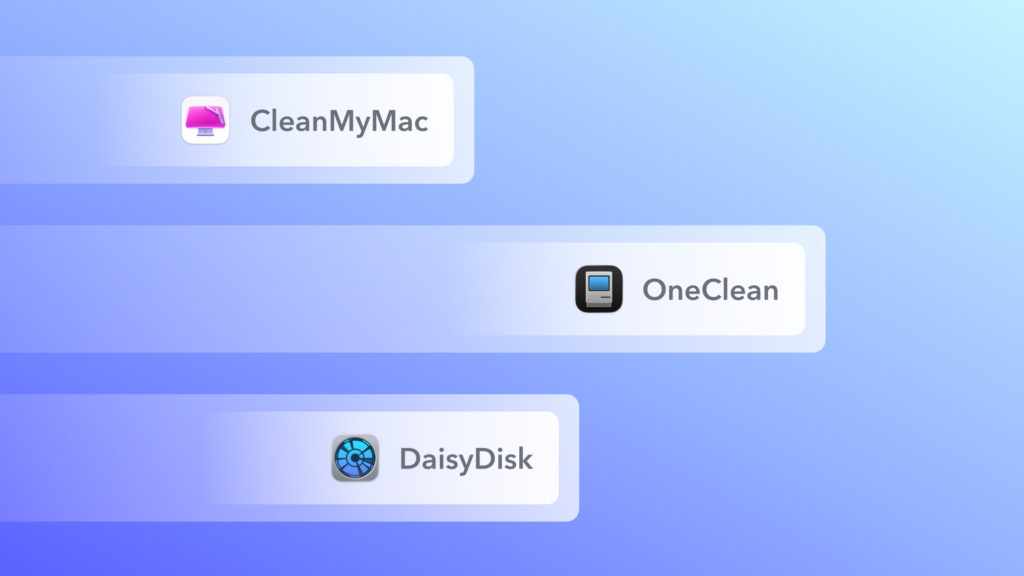
The best Mac cleaner software depends on the job. CleanMyMac is the most complete all-in-one app, OneClean is an emerging free all-in-one option, DaisyDisk is the clearest way to see what is filling your disk, OnyX is the veteran free maintenance tool, and AppCleaner is a simple free uninstaller. Before you install any of them, it is worth knowing that macOS manages most temporary files itself, so the biggest wins usually come from finding large files and removing apps you no longer use.
Disclosure: OneClean is our own app, built by the founder of Scientyfic World, so weigh our view of it accordingly. We have no commercial relationship with the other developers named here. Features were checked on each developer’s own website or GitHub repository on 6 November 2026. This is a comparison of what each app documents, not a hands-on benchmark.
The Best Mac Cleaners at a Glance
| App | Best for | Free or paid | Junk cleanup | Large files / duplicates | App uninstaller | Malware scan |
|---|---|---|---|---|---|---|
| CleanMyMac | All-in-one care | Paid, with a trial | Yes | Yes / Yes | Yes | Yes |
| OneClean | Free all-in-one cleanup with review first | Free | Yes | Yes / Yes | Yes | No |
| DaisyDisk | Seeing what uses your disk | Paid, with a trial | No | Large files only | No | No |
| OnyX | Free system maintenance | Free | Caches | No | Yes | No |
| AppCleaner | Free app removal | Free | No | No | Yes | No |
1. CleanMyMac: Best All-in-One Mac Cleaner
CleanMyMac, from MacPaw, is the app most people have heard of, and it covers the widest range of tasks. Its Smart Care routine combines cleanup, a malware scan, performance tasks, software updates and storage decluttering. It also uninstalls apps with their leftovers, finds duplicates and similar photos, and can review your cloud storage. MacPaw notes that the app is notarized by Apple.
- Best for: people who want one polished app to handle everything, including malware scanning.
- What it covers: junk, malware, performance tasks, uninstalls, duplicates, large files and cloud storage.
- Watch out for: it is paid software, and it does far more than many people need. If you only want to free up space, a free tool may be enough.
2. OneClean: An Emerging Free All-in-One Option
OneClean is our own app and the newest on this list, currently at version 1.0. It is free, with no trial, subscription or ads, and it is built around one idea: show you what will be removed before anything happens. Scan results are grouped for review, every removal is confirmed, and items go to the Bin by default.
It has two scan modes. Surface Clean looks at app caches, logs and temporary files. Deep Clean also covers system caches, large files and duplicates. It also shows what is using space on internal and external disks, removes apps with their related files, and finds leftovers from apps you already deleted. According to its privacy policy, the app runs entirely on your Mac and does not send your files, scan results or usage data anywhere.
- Best for: people who want CleanMyMac-style cleanup at no cost and prefer to approve every removal.
- What it covers: caches, logs, temporary files, large files, duplicates, disk browsing, app removal and leftovers, plus small utilities such as Prevent Sleep and Clean Keyboard.
- Watch out for: it is a new 1.0 release with no track record yet, and it has no malware scanning. It also requires macOS 14 Sonoma or later and is not yet notarized by Apple, so macOS blocks it on first launch until you approve it in Privacy & Security, as its install guide explains.
3. DaisyDisk: Best for Seeing What Uses Your Disk
DaisyDisk is not a junk cleaner, and that is the point. It maps your disk visually so you can find large files and delete the ones you do not need. It works with internal and external drives, network storage and connected cloud storage, and it protects system files automatically. Its developer argues that macOS cleans up well on its own, and that the real fix for low space is removing large files you no longer need.
- Best for: anyone who wants to understand where their space went.
- What it covers: disk visualisation across local, external, network and cloud storage.
- Watch out for: it does not clean caches, find duplicates or uninstall apps with their leftovers.
4. OnyX: Best Free Tool for System Maintenance
OnyX has been developed by Titanium Software since 2003 and is funded by donations. It verifies system files, runs cleaning and maintenance tasks, deletes caches, uninstalls applications and changes settings in the Finder, Dock and Safari.
- Best for: experienced users who want fine control over maintenance tasks.
- What it covers: system file checks, caches, maintenance scripts and hidden settings.
- Watch out for: it is a technical tool with a lot of options, so read what each one does. There is a separate version for each major macOS release, and you must download the one that matches yours.
5. AppCleaner: Best Free App Uninstaller
AppCleaner from FreeMacSoft does one job. Drop an app onto its window, and it finds the related files so you can delete them together. It is a good choice if apps are your main problem, because deleting an app from the Applications folder can leave its supporting files behind.
- Best for: removing apps cleanly with almost no learning curve.
- What it covers: app removal and related files.
- Watch out for: it does nothing else, so pair it with another tool if you also want cache cleanup or disk analysis.
Other Mac Cleaners Worth a Look
- PureMac is a free, MIT-licensed, open-source Mac cleaner with cleanup, app management and storage exploration. It is signed and notarized, which makes it a strong pick if you want to audit the code.
- Mole is a popular free open-source command-line tool that cleans, uninstalls and analyses disks. Its
--dry-runoption previews changes first, which suits people comfortable in Terminal.
We compare the free options in more detail in our guide to the best free CleanMyMac alternatives.
How to Choose a Mac Cleaner Safely
A cleaner can delete your files and often asks for broad access to your Mac, so choose carefully:
- Check what it removes first. Prefer apps that show results and move items to the Bin, so you can undo a mistake.
- Download only from the developer’s real site. Fake download sites exist. The developer of Pearcleaner, for example, warns about unofficial sites using the app’s name.
- Understand Apple’s warning. Apple explains how macOS treats apps it cannot check. A warning does not prove an app is harmful, and approving one is a decision to trust that developer. If you would rather not, choose a notarized app.
- Be sceptical of speed claims. Removing files frees space, but it will not necessarily make your Mac faster.
- Back up first. Run Time Machine before a large cleanup.
Do You Need a Mac Cleaner at All?
Often, no. Apple’s guide to freeing up storage starts with System Settings > General > Storage, which shows what uses your space and offers built-in recommendations. Start there, empty the Bin and remove large files you no longer need. A cleaner earns its place when you want duplicates, leftovers and caches handled in one pass.
Conclusion
If you want everything in one place, including malware scanning, CleanMyMac is the most complete choice. If you would rather not pay and like approving each removal, try OneClean, keeping in mind that it is a new release. For a specific job, DaisyDisk, OnyX and AppCleaner each do it well. Whichever you choose, check Apple’s built-in storage tools first and back up before you clean.
What is the best Mac cleaner software?
For an all-in-one app, CleanMyMac covers the most ground. For a free all-in-one option, OneClean is a new app worth considering, and PureMac is a free open-source alternative. For specific jobs, DaisyDisk maps disk use, OnyX handles maintenance and AppCleaner removes apps.
What is the best free Mac cleaner?
It depends on the job. OneClean and PureMac cover general cleanup, OnyX covers system maintenance, and AppCleaner covers app removal. All are free to use.
Are Mac cleaners safe?
Reputable ones are generally safe if you review what they remove. Download from the developer’s own site, prefer apps that move items to the Bin, and back up before a large cleanup.
Do Mac cleaners make your Mac faster?
Not necessarily. They free up storage, which helps if your disk is nearly full, but you should be sceptical of claims about large speed increases.
Does macOS have a built-in cleaner?
macOS has built-in storage tools rather than a dedicated cleaner. Go to System Settings, then General, then Storage to see what uses your space and get recommendations.