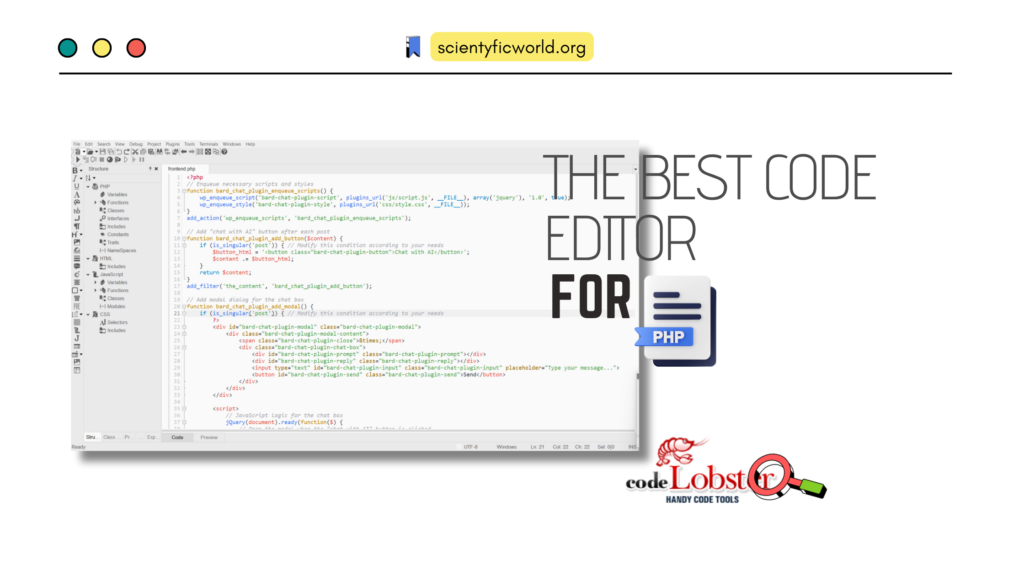
PHP is still everywhere on the web, so the choice of editor still matters. Codelobster IDE is one of the long-running PHP-focused editors, and this guide covers what it offers, what is accurate to say about its licence and status, and how it compares with the editors most PHP developers use now.
Updated October 2026, and an important correction: the original version of this post (2023) described Codelobster as “free and open-source” and listed the latest version as 2.3.0. Neither holds up. Codelobster is proprietary freemium software, and more importantly, I could not load the vendor’s website (codelobster.com) when researching this update. Wikipedia’s entry marks the official site as offline in 2025, and a February 2026 user review on a software-download site reports the same. I could not confirm that the product is still maintained, so I rewrote this post to say only what I could verify and to help you decide whether to use it at all.
What Codelobster IDE Is
Codelobster is a portable integrated development environment (IDE) aimed mainly at PHP, which also handles HTML, CSS and JavaScript. According to Wikipedia, it is developed by Codelobster Software, written in C++, and runs on Windows, macOS and Linux. (The older “PHP Edition” was Windows-only and, per the same source, had not been updated since 2019.) The same entry lists syntax highlighting and auto-completion for SQL, PHP, HTML, CSS, JavaScript and XML, automatic syntax checking, and an HTML and CSS inspector in the style of Firebug, plus framework plug-ins for CMSs and frameworks such as Drupal, WordPress, Joomla and CakePHP.
Third-party listings and reviews also credit it with a PHP debugger that works with Xdebug, a built-in FTP/SFTP client, and a database (SQL) tool. I did not verify those against the vendor’s documentation, because the site was unreachable, so treat them as “reported” rather than “confirmed”, and check them in a trial before relying on them.
Licence and Pricing: It Is Not Open Source
The claim that Codelobster is open source was wrong. Wikipedia describes the licence as proprietary and freemium: free use with a registration by email required after 30 days, and paid “Lite” and “Professional” versions for extra features. Plug-ins are described as paid, with trial periods. A listing on MacUpdate classifies the Mac version (2.4.0, January 2024) as shareware.
I am deliberately not quoting a price table. Sources disagree (figures from about $30 to about $100 appear in different places, and some are for the older PHP Edition), and I could not check the vendor’s order page. If the vendor’s site is back when you read this, trust that page over any article, including this one.
Version and Maintenance Status
The most recent release I found documented is version 2.6.0 from 25 November 2024 (via Wikipedia’s data), which is newer than the 2.3.0 the original post named. I could not find anything later. Combined with the unreachable website, the practical reading is that development has at best slowed. That does not make the editor useless, since editors do not stop working when updates stop, but it matters for a tool that must keep up with new PHP releases, new Xdebug versions and the frameworks you use.
Before You Install It: A Safety Note
When a product’s official site goes quiet, search results fill with unofficial “download”, “full version” and “unlocked” pages. When I searched for this software, one of the top results was a GitHub repository advertising an “unlocked full version”. Treat anything like that as untrusted: cracked installers are a common way to distribute malware, and an IDE has access to your source code, your SSH keys and your server credentials. If you want to try Codelobster, use a download source you trust (for example the well-known software archives that host the signed original installer), scan it, and run it first in a virtual machine or a throwaway environment.
How It Compares With the Editors PHP Developers Use Now
Most PHP developers today work in one of a few tools, and all of them are actively developed and well documented:
- Visual Studio Code. Free. According to the VS Code PHP documentation, it ships PHP syntax highlighting, basic completion, snippets and linting through the PHP executable out of the box, and Xdebug debugging is available through the PHP Debug extension. Many developers add a language-server extension such as PHP Intelephense for deeper code intelligence. It also hosts the AI coding assistants that have become a normal part of many workflows.
- PhpStorm. A commercial IDE from JetBrains built specifically for PHP, with debugging, refactoring and framework support built in rather than added as plug-ins. See JetBrains’ PhpStorm page for current licensing, since JetBrains has been changing its free and non-commercial licensing across products and I could not confirm the current terms for PhpStorm.
- Sublime Text and similar lightweight editors. Fast and minimal, with PHP features added through packages.
| Codelobster IDE | Visual Studio Code | PhpStorm | |
|---|---|---|---|
| Licence | Proprietary, freemium (free tier plus paid editions) | Free | Commercial subscription (check JetBrains for free options) |
| Platforms | Windows, macOS, Linux (reported) | Windows, macOS, Linux | Windows, macOS, Linux |
| PHP debugging (Xdebug) | Built in (reported, unverified) | Via the PHP Debug extension | Built in |
| Framework support | Paid plug-ins | Extensions | Built in / bundled plug-ins |
| Project status | Vendor site appears offline; last release found Nov 2024 | Actively developed, monthly releases | Actively developed |
Who Might Still Choose Codelobster
If you already use it and it works for you, there is no urgent reason to switch. It could also suit someone on older or modest hardware who wants a portable, PHP-focused editor with built-in tools rather than assembling extensions, provided they can get a trustworthy copy of the installer. For everyone else, and especially for anyone starting a new project or learning PHP, I would pick an editor that is actively maintained and supported by documentation and a large community. For most people that means Visual Studio Code, or PhpStorm if you want an all-in-one PHP IDE and can use a paid licence.
What to check yourself before committing: that you can reach and download from the official vendor site; that the version you install works with the PHP version and Xdebug version you actually run (see the Xdebug step-debugging guide for how the debugger connection works); that the framework plug-in you need is available and licensed; and that your team can support it.
Conclusion
Codelobster IDE was a reasonable free-to-start PHP editor, but the facts that made it attractive in the original article (free, open source, steadily updated) are not accurate today: it is freemium proprietary software, and its vendor presence appears to have gone quiet. Evaluate it only with a trusted download, and prefer an actively maintained editor for new work.
Is Codelobster IDE open source?
No. It is proprietary freemium software: a free tier that requires registration after 30 days, plus paid Lite and Professional versions and paid plug-ins.
Is Codelobster IDE still maintained?
I could not confirm it. The most recent release I found is 2.6.0 from November 2024, and the vendor website was unreachable in October 2026, with Wikipedia and a user review also reporting the site offline.
Is Codelobster IDE free?
There is a free edition, but it is a freemium product: registration is required after 30 days, and extra features and framework plug-ins are paid. Check current terms on the vendor’s site if it is available.
What is a good alternative to Codelobster for PHP?
Visual Studio Code (free, with the PHP Debug extension for Xdebug) and PhpStorm (a commercial PHP IDE from JetBrains) are the most commonly used actively maintained options.
Is it safe to download “full version” Codelobster installers?
No. Unofficial “unlocked” or “cracked” installers are a common malware vector. Use only a trusted source for the original installer, scan it, and test it in a virtual machine first.