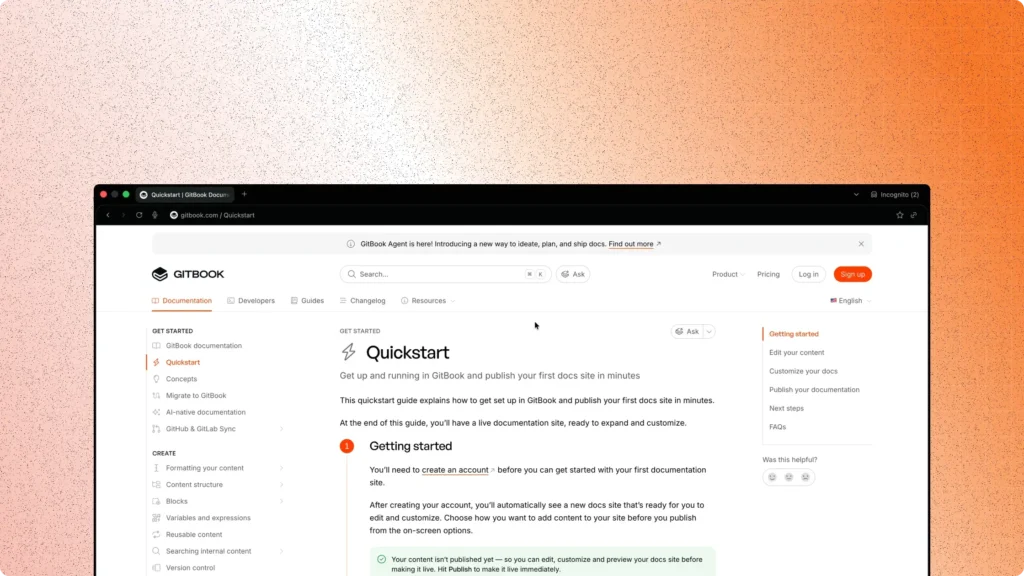
I started my career assuming documentation meant one thing: explain what an API does. Endpoints. Parameters. A few examples. Done.
Over the years, that assumption broke down. I watched capable developers abandon perfectly functional APIs because the docs made them guess. Guess how to authenticate. Guess which endpoint to try first. Guess what a failure even looked like. That friction had nothing to do with code quality. It came from developer experience documentation—or the lack of it.
Developer Experience (DX) describes how a developer feels while integrating, testing, and maintaining a system. DX starts long before production traffic. It begins the moment someone opens your docs and asks a simple question: Can I get this working today?
Good documentation answers that question fast. It reduces uncertainty, shortens onboarding, and removes cognitive overhead. It does more than list facts. It guides decisions. It anticipates mistakes. It respects a developer’s time.
This post reflects how I now approach DX writing. I treat documentation as product surface area. I design it with the same care as APIs and SDKs. What follows shows how documentation directly shapes developer experience—and how you can implement that mindset today.
Why Developer Experience (DX) Depends on Documentation
Every integration has a critical moment. The first successful request.
If that moment takes five minutes, developers feel momentum. If it takes an hour, frustration sets in. If it takes a day, the tool often gets dropped. Documentation decides which outcome happens.
I’ve seen onboarding fail for predictable reasons. Authentication steps scattered across pages. Quickstarts that assume hidden context. Error messages documented nowhere. Developers end up reading GitHub issues instead of official guides.
Strong developer experience documentation removes this friction by design.
A clear quickstart reduces time-to-first-call. It shows the exact request, the expected response, and the minimum setup required. Developers stop guessing. They copy, paste, and confirm success.
Consistent reference docs prevent context switching. When parameter names, types, and examples align across pages, developers trust the system. They stop second-guessing whether the docs reflect reality.
Error documentation changes how failures feel. When a 401 response explains why it happened and how to fix it, developers stay in flow. Without that guidance, errors feel arbitrary and hostile.
Documentation also affects long-term DX. Well-maintained guides reduce support tickets. They shorten debugging cycles. They lower the mental cost of returning to an API after months away.
In practice, documentation acts as the interface between your system and a developer’s brain. APIs execute logic. Docs explain intent. Without that explanation, even elegant systems feel difficult to use.
DX Writing Principles
Over time, I’ve narrowed DX writing down to six principles. I treat these as non-negotiable.
1. Clarity
Every page must answer one primary question. Ambiguous scope forces readers to scan, re-read, and infer. I write headings as direct promises and fulfill them immediately.
2. Discoverability
Developers should find answers through navigation and search without reading everything. Clear information hierarchy, predictable URLs, and cross-links matter more than long explanations.
3. Consistency
Terminology, examples, and structure must stay aligned. If an API key is called X-API-Key once, it stays that way everywhere. Consistency builds trust.
4. Examples
Abstract descriptions rarely help. Runnable examples do. Every important concept deserves a concrete request and response. Examples act as executable documentation.
5. Error Guidance
Failures deserve first-class documentation. I document common errors alongside success paths. Each error includes cause, meaning, and corrective action.
6. Maintainability
Docs age faster than code if they lack ownership. I write with future updates in mind. Small pages. Clear file structure. Automated checks where possible.
Accessibility note: DX writing includes accessibility. Images need alt text. Code blocks need sufficient contrast. Screen readers must parse headings correctly. Inclusive docs serve more developers—and improve clarity for everyone.
Quickstart Guide: a Minimal, Runnable Example
A quickstart guide exists to deliver one outcome: a successful request in minutes.
Below is the structure I use for a one-minute onboarding flow. This example assumes a fictional API, but the pattern stays the same across products.
Suggested file structure
/quickstart/
  README.md
  example.js
  example.py
/openapi/
  openapi.yaml
Step 1: cURL request
curl -X POST https://api.example.com/v1/messages \
  -H "Authorization: Bearer <API_KEY>" \
  -H "Content-Type: application/json" \
  -d '{"text": "Hello DX"}'
Expected response
{
  "id": "msg_123",
  "status": "created"
}
This single request proves authentication, connectivity, and API correctness.
Step 2: JavaScript SDK example
import { Client } from "example-sdk";

const client = new Client({ apiKey: "<API_KEY>" });

const res = await client.messages.create({ text: "Hello DX" });
console.log(res.id);
Output
msg_123
Step 3: Python example
from example_sdk import Client

client = Client(api_key="<API_KEY>")
res = client.messages.create(text="Hello DX")
print(res["id"])
Output
msg_123
I always verify these examples in a clean environment. For this pattern, I test on macOS, Node.js 20.x, and Python 3.11.
Interactive Documentation: OpenAPI + Postman
Static docs explain behavior. Interactive documentation lets developers confirm it themselves.
An OpenAPI specification acts as the contract. Tools like Swagger UI or Redoc transform that contract into interactive reference pages with live examples and schemas.
I embed the OpenAPI spec directly in the docs site:
- OpenAPI spec:
/openapi/openapi.yaml - Rendered with Swagger UI or Redoc
Alongside that, I provide a downloadable Postman collection. Developers can fork it, insert credentials, and explore workflows immediately.
Implementation steps:
- Author a valid
openapi.yamland lint it using Spectral. - Embed it using Swagger UI or Redoc in your docs site.
- Add example values and response schemas for each endpoint.
- Export a Postman collection from the same spec.
- Link the collection clearly near the quickstart.
This pairing reduces friction across skill levels. Beginners click “Try it out.” Experienced users import Postman and explore edge cases.
Practical Patterns & Templates
Different doc types serve different goals. Mixing them causes confusion.
| Type | Purpose | Length | Audience | Example assets |
|---|---|---|---|---|
| Quickstart | First success | Short | New developers | cURL, SDK snippets |
| Reference | Exact behavior | Long | Active users | OpenAPI, schemas |
| Tutorials | End-to-end workflows | Medium | Learners | Guides, diagrams |
Reusable frontmatter (Docusaurus / MkDocs)
title: Writing for Developer Experience (DX): Beyond Just Docs
description: How developer experience documentation shapes onboarding, usability, and long-term DX.
keywords:
  - developer experience documentation
  - DX writing
  - quickstart guide
  - interactive documentation
canonical: https://scientyficworld.org/blog/developer-experience-documentation
readingTime: 12
Measurement and QA Checklist
Good DX documentation requires verification, not assumptions.
- Run the quickstart in a fresh environment.
- Validate OpenAPI with Spectral.
- Execute every code sample.
- Confirm error responses match docs.
- Add alt text to diagrams and images.
- Check color contrast in code blocks.
- Verify SEO metadata and canonical URLs.
- Run automated link checks.
I treat this checklist like a release gate. If docs fail it, the product fails it.
Conclusion
Developer experience documentation defines how your product feels long before it proves value. Code quality matters, but clarity decides adoption.
When docs guide, explain, and respect a developer’s time, integration stops feeling like work. It feels like progress.
If you maintain developer-facing products, start here:
- Rewrite your quickstart to reach first success in minutes.
- Align reference docs with a single OpenAPI contract.
- Add QA checks to your documentation pipeline.
DX improves when documentation earns the same attention as code.