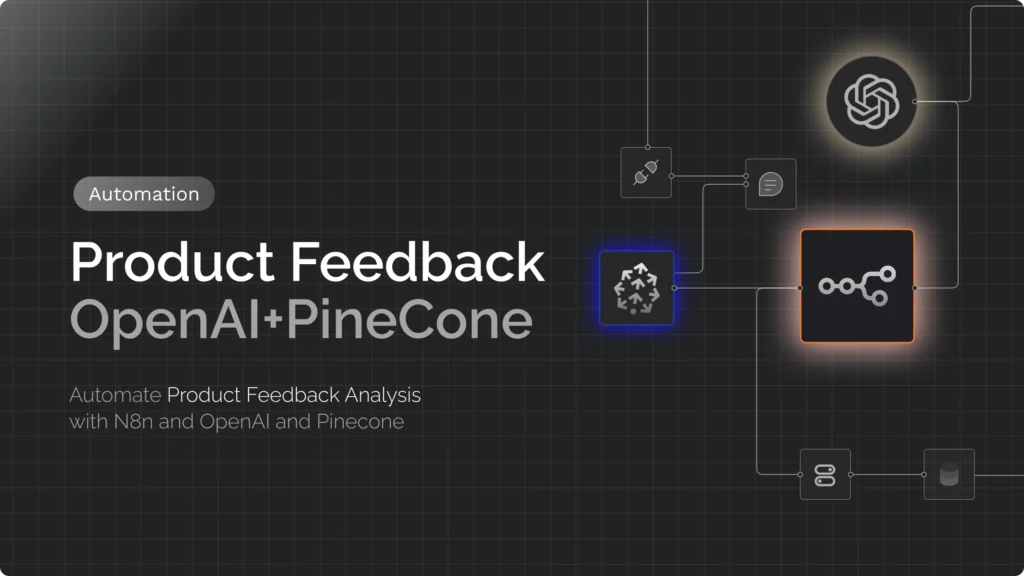
Most teams have more customer feedback than anyone can read: support tickets, survey comments, app-store reviews, sales-call notes. The goal of this workflow is to turn that pile into a weekly digest that tells a product team which themes are most common, how bad they are, and what customers actually said, using n8n and an AI model.
Updated October 2026: I rebuilt this guide around a different design. The 2025 version embedded every comment into Pinecone and then asked a model to “summarise the most common issues” from whatever a similarity search returned. That doesn’t work as advertised: a similarity search for a generic question returns the comments closest to that sentence, not the most frequent themes, so the “clusters” were never counted. The version below classifies every comment, counts the results with ordinary code, and only then asks the model to write the digest from real numbers. Pinecone is still useful, but for a different job (searching and de-duplicating feedback), so it moves to an optional section. I tested the counting code, validated the JSON schema, and checked the workflow’s node types and parameters against the n8n 2.41.4 node packages, but I did not run it against live OpenAI or Slack accounts, so check the model name and the Slack channel when you import it.
The Design: Classify, Count, Then Summarise
For a PM, the trustworthy way to find themes is the same as doing it by hand: decide on a set of categories, tag each piece of feedback, count, then read the quotes under the biggest counts. The workflow automates exactly that:
- Collect the week’s feedback from your sources.
- Classify each item with a language model into a fixed taxonomy (theme, sentiment, severity, and whether it is a feature request). The model returns structured data, not free text.
- Count with a Code node: items per theme, how many were negative or high severity, three sample quotes each. This is deterministic, so the numbers are right every time.
- Write the digest with a second model call that sees only those statistics and quotes, with instructions not to invent anything.
- Post it to Slack (or email, Notion, a doc).
Why this beats “embed everything and ask”: the counts are real, every number is traceable to tagged items, you can change the taxonomy and re-run, and you don’t need a vector database at all for this job. The trade-off is that the taxonomy is yours to design, which is a feature: it forces the team to agree on what the themes are.
Prerequisites
- A running n8n instance (cloud or self-hosted). If you need one, see deploying n8n on a Google Cloud VM and choosing a host.
- An OpenAI API key (or any chat model sub-node that n8n supports).
- A feedback source n8n can read, such as a Google Sheet, a form tool, a support-desk export, or a webhook.
- A Slack bot credential if you want the digest posted to Slack (see the Slack chatbot guide for creating the app).
Step 1: Design the Taxonomy First
This is the part that decides whether the digest is useful, so do it before touching n8n. Write down:
- Themes (8 to 12 at most, mutually exclusive, with a catch-all “other”). Use your product’s real areas, such as onboarding, pricing and plans, performance, stability, export, integrations, security and admin, usability. If “other” exceeds 15% of items, add or split a theme.
- Sentiment: positive, neutral, negative, mixed.
- Severity: low, medium, high, with a plain definition. Mine is “high means the customer can’t do their job or is about to churn”.
- Feature request: yes or no.
Keep the taxonomy stable from week to week, or your trend lines won’t be comparable.
Step 2: Import the Workflow
Paste the JSON below into a new n8n workflow (Import from clipboard) and attach your OpenAI and Slack credentials. It starts with a manual trigger and a Code node containing seven sample comments so you can test end to end; replace that node with your real source, and swap the manual trigger for a Schedule Trigger when you are ready to automate it.
{
  "name": "Weekly feedback digest (classify, count, summarise)",
  "nodes": [
    {
      "parameters": {},
      "name": "When clicking Execute workflow",
      "type": "n8n-nodes-base.manualTrigger",
      "typeVersion": 1,
      "position": [
        0,
        0
      ]
    },
    {
      "parameters": {
        "jsCode": "// Replace this node with your real feedback source (Google Sheets, Typeform, Zendesk, ...)\nreturn [\n  { text: 'Onboarding emails never arrived, I could not verify my account for two days.', source: 'support', date: '2026-09-28' },\n  { text: 'Love the new dashboard, but exports to CSV time out on large projects.', source: 'survey', date: '2026-09-29' },\n  { text: 'Please add SSO. We cannot roll this out to our whole company without it.', source: 'sales call', date: '2026-09-30' },\n  { text: 'Pricing page is confusing, I could not tell which plan includes API access.', source: 'chat', date: '2026-10-01' },\n  { text: 'The mobile app crashes every time I open the reports tab.', source: 'app store', date: '2026-10-01' },\n  { text: 'Verification email took forever to show up. Almost gave up.', source: 'support', date: '2026-10-02' },\n  { text: 'CSV export failed again for our biggest workspace.', source: 'support', date: '2026-10-02' },\n].map(item => ({ json: item }));\n"
      },
      "name": "Sample feedback",
      "type": "n8n-nodes-base.code",
      "typeVersion": 2,
      "position": [
        220,
        0
      ]
    },
    {
      "parameters": {
        "text": "={{ $json.text }}",
        "schemaType": "manual",
        "inputSchema": "{\n  \"type\": \"object\",\n  \"properties\": {\n    \"theme\": {\n      \"type\": \"string\",\n      \"enum\": [\n        \"onboarding\",\n        \"pricing_and_plans\",\n        \"performance\",\n        \"stability\",\n        \"export\",\n        \"integrations\",\n        \"security_and_admin\",\n        \"usability\",\n        \"other\"\n      ],\n      \"description\": \"The single main theme of the feedback\"\n    },\n    \"sentiment\": {\n      \"type\": \"string\",\n      \"enum\": [\n        \"positive\",\n        \"neutral\",\n        \"negative\",\n        \"mixed\"\n      ]\n    },\n    \"severity\": {\n      \"type\": \"string\",\n      \"enum\": [\n        \"low\",\n        \"medium\",\n        \"high\"\n      ],\n      \"description\": \"How much this blocks the customer: high means they cannot do their job or are about to churn\"\n    },\n    \"feature_request\": {\n      \"type\": \"boolean\",\n      \"description\": \"True if the customer asks for something that does not exist yet\"\n    }\n  },\n  \"required\": [\n    \"theme\",\n    \"sentiment\",\n    \"severity\",\n    \"feature_request\"\n  ]\n}",
        "options": {
          "systemPromptTemplate": "Classify this piece of customer feedback for a product team. Choose the single best theme. Be conservative with severity."
        }
      },
      "name": "Classify each item",
      "type": "@n8n/n8n-nodes-langchain.informationExtractor",
      "typeVersion": 1.2,
      "position": [
        440,
        0
      ]
    },
    {
      "parameters": {
        "model": {
          "__rl": true,
          "mode": "id",
          "value": "gpt-6-luna"
        },
        "options": {
          "temperature": 0
        }
      },
      "name": "OpenAI Chat Model (classify)",
      "type": "@n8n/n8n-nodes-langchain.lmChatOpenAi",
      "typeVersion": 1.3,
      "position": [
        440,
        220
      ],
      "credentials": {
        "openAiApi": {
          "id": "REPLACE",
          "name": "OpenAI account"
        }
      }
    },
    {
      "parameters": {
        "jsCode": "// Runs once for all items. Pairs each extractor result with its original feedback by position.\nconst originals = $('Sample feedback').all();\nconst rows = $input.all().map((item, i) => ({\n  ...item.json.output,\n  text: originals[i].json.text,\n  source: originals[i].json.source,\n}));\n\nconst themes = {};\nfor (const r of rows) {\n  const t = themes[r.theme] ??= { theme: r.theme, count: 0, negative: 0, severe: 0, quotes: [] };\n  t.count += 1;\n  if (r.sentiment === 'negative') t.negative += 1;\n  if (r.severity === 'high') t.severe += 1;\n  if (t.quotes.length < 3) t.quotes.push(r.text);\n}\n\nconst ranked = Object.values(themes).sort((a, b) => b.count - a.count || b.severe - a.severe);\nconst sentiment = rows.reduce((acc, r) => ((acc[r.sentiment] = (acc[r.sentiment] || 0) + 1), acc), {});\n\nreturn [{ json: { total: rows.length, sentiment, themes: ranked, stats: JSON.stringify({ total: rows.length, sentiment, themes: ranked }, null, 2) } }];\n"
      },
      "name": "Count by theme",
      "type": "n8n-nodes-base.code",
      "typeVersion": 2,
      "position": [
        760,
        0
      ]
    },
    {
      "parameters": {
        "promptType": "define",
        "text": "=You are a product analyst writing a weekly customer-feedback digest for a product team.\n\nUse ONLY the statistics below. Do not invent numbers or quotes.\n\n{{ $json.stats }}\n\nWrite a Slack-friendly digest with:\n1. A one-sentence headline.\n2. The top 3 themes by count, each with its count, how many were negative or high severity, and one representative quote from the data.\n3. Anything with few mentions but high severity that deserves attention.\n4. One suggested follow-up question for the product team.\nKeep it under 200 words."
      },
      "name": "Write digest",
      "type": "@n8n/n8n-nodes-langchain.chainLlm",
      "typeVersion": 1.9,
      "position": [
        980,
        0
      ]
    },
    {
      "parameters": {
        "model": {
          "__rl": true,
          "mode": "id",
          "value": "gpt-6-luna"
        },
        "options": {}
      },
      "name": "OpenAI Chat Model (digest)",
      "type": "@n8n/n8n-nodes-langchain.lmChatOpenAi",
      "typeVersion": 1.3,
      "position": [
        980,
        220
      ],
      "credentials": {
        "openAiApi": {
          "id": "REPLACE",
          "name": "OpenAI account"
        }
      }
    },
    {
      "parameters": {
        "select": "channel",
        "channelId": {
          "__rl": true,
          "mode": "id",
          "value": "C0123456789"
        },
        "text": "={{ $json.text }}",
        "otherOptions": {
          "includeLinkToWorkflow": false
        }
      },
      "name": "Post to Slack",
      "type": "n8n-nodes-base.slack",
      "typeVersion": 2.7,
      "position": [
        1300,
        0
      ],
      "webhookId": "00000000-0000-0000-0000-000000000003",
      "credentials": {
        "slackApi": {
          "id": "REPLACE",
          "name": "Slack bot token"
        }
      }
    }
  ],
  "connections": {
    "When clicking Execute workflow": {
      "main": [
        [
          {
            "node": "Sample feedback",
            "type": "main",
            "index": 0
          }
        ]
      ]
    },
    "Sample feedback": {
      "main": [
        [
          {
            "node": "Classify each item",
            "type": "main",
            "index": 0
          }
        ]
      ]
    },
    "Classify each item": {
      "main": [
        [
          {
            "node": "Count by theme",
            "type": "main",
            "index": 0
          }
        ]
      ]
    },
    "OpenAI Chat Model (classify)": {
      "ai_languageModel": [
        [
          {
            "node": "Classify each item",
            "type": "ai_languageModel",
            "index": 0
          }
        ]
      ]
    },
    "Count by theme": {
      "main": [
        [
          {
            "node": "Write digest",
            "type": "main",
            "index": 0
          }
        ]
      ]
    },
    "OpenAI Chat Model (digest)": {
      "ai_languageModel": [
        [
          {
            "node": "Write digest",
            "type": "ai_languageModel",
            "index": 0
          }
        ]
      ]
    },
    "Write digest": {
      "main": [
        [
          {
            "node": "Post to Slack",
            "type": "main",
            "index": 0
          }
        ]
      ]
    }
  },
  "settings": {
    "executionOrder": "v1"
  }
}
What each node does
- Sample feedback (Code): placeholder data. Replace it with a Google Sheets, Typeform, Zendesk or webhook node, and keep a
textfield and asourcefield on each item. - Classify each item (Information Extractor): n8n’s Information Extractor node asks the connected chat model to fill in a JSON schema for each item. The schema constrains
theme,sentimentandseverityto the allowed values, so you get clean categories instead of free text. Temperature is 0 on the model to make labelling as consistent as possible. - Count by theme (Code): pure JavaScript, shown below.
- Write digest (Basic LLM Chain): receives the statistics as text and writes a short digest. The prompt tells the model to use only those numbers and quotes.
- Post to Slack: sends the text to a channel. Change the channel ID.
The model name is gpt-6-luna, which OpenAI’s model page lists as its efficiency-focused option for high-volume work. Classification is a task where a small, cheap model is usually enough, which is the point of splitting classification from writing. Model names change often, so pick whatever is current.
The counting code
This is the logic in the Count by theme node. It pairs each classification with its original comment by position, groups by theme, and keeps up to three quotes per theme. I ran it with a simulated n8n input with made-up classification results for the seven sample comments to confirm that it counts and ranks correctly (two mentions each for onboarding and export, then the single-mention themes):
// Runs once for all items. Pairs each extractor result with its original feedback by position.
const originals = $('Sample feedback').all();
const rows = $input.all().map((item, i) => ({
  ...item.json.output,
  text: originals[i].json.text,
  source: originals[i].json.source,
}));

const themes = {};
for (const r of rows) {
  const t = themes[r.theme] ??= { theme: r.theme, count: 0, negative: 0, severe: 0, quotes: [] };
  t.count += 1;
  if (r.sentiment === 'negative') t.negative += 1;
  if (r.severity === 'high') t.severe += 1;
  if (t.quotes.length < 3) t.quotes.push(r.text);
}

const ranked = Object.values(themes).sort((a, b) => b.count - a.count || b.severe - a.severe);
const sentiment = rows.reduce((acc, r) => ((acc[r.sentiment] = (acc[r.sentiment] || 0) + 1), acc), {});

return [{ json: { total: rows.length, sentiment, themes: ranked, stats: JSON.stringify({ total: rows.length, sentiment, themes: ranked }, null, 2) } }];
Note the pairing relies on the extractor returning items in the same order it received them, which is how n8n processes a list of items. If you change the workflow to run items in parallel branches or add a node that reorders them, carry an ID through instead.
Step 3: Check That the Labels Are Right
An AI classifier can be wrong, and a confident digest built on wrong labels is worse than no digest. Before you trust it:
- Run it on 50 to 100 real comments and label them yourself (or ask a colleague) in a spreadsheet.
- Compare. Aim for the model agreeing with you on theme at least 80 to 90% of the time. Look at the disagreements: are they model mistakes, or does the taxonomy have unclear boundaries? Fix definitions first, then the prompt (add a one-line definition for each theme to the system prompt).
- Re-check every quarter and whenever you change the model, because a model upgrade can shift labels subtly.
- Keep the original comment, theme and date in a sheet or database every week. That history is what lets you chart trends and audit any number in a digest.
Expect trouble with sarcasm, comments that mention several issues (the schema forces one theme, so decide whether to allow a list), and very short comments with no context.
Step 4: Privacy and Cost
- Personal data. Feedback often contains names, emails and account details, and you are sending it to a third-party model. Strip or mask identifiers before the AI step (a Code node with a few regular expressions works for emails and phone numbers), check your provider’s data-retention terms, and don’t send anything your customers’ agreements prohibit.
- Cost. You pay per token for each comment classified, plus one call for the digest. Short comments and a small model keep this cheap. Check the pricing for your model, and set a spending limit in your OpenAI account.
- Volume. This design is fine for hundreds or a few thousand comments per week. For tens of thousands, process in batches (n8n’s Loop Over Items node) and watch rate limits.
Optional: Add Semantic Search with Pinecone
Embeddings and a vector database are the right tool for a different question: “show me everything that sounds like this”. They are useful for finding similar feedback to a specific ticket, spotting near-duplicates, and letting a PM ask free-form questions of the archive. They do not replace the counting above.
If you want it, the pattern is:
- Embed each comment with n8n’s Embeddings OpenAI node. OpenAI’s embeddings guide lists
text-embedding-3-small(1,536 dimensions by default) andtext-embedding-3-large(3,072) as current, and markstext-embedding-ada-002, which the old version of this post suggested, as legacy. - Store the vectors in Pinecone with the Pinecone Vector Store node, putting the theme, sentiment, severity, source and date in the document metadata so you can filter later (for example, “negative, high severity, last 30 days”). Your Pinecone index dimension must match the embedding model’s output. The old post told you to enter a Pinecone “environment”; current Pinecone indexes are serverless and don’t use one.
- Query either by connecting the vector store as a tool to an AI Agent, so a PM can ask “what are customers saying about exports?” in chat, or with the node’s retrieval mode in a workflow. Retrieve a modest number of items (5 to 10) and always show the source comments next to any summary.
On cost, Pinecone’s pricing page lists a free Starter plan with 2 GB of storage, 2 million write units and 1 million read units per month, which is plenty for feedback at this scale; paid plans start at $20 per month (Builder). Check the page for current limits.
If you do use embeddings for grouping, remember that clustering is a separate step: similarity search alone does not tell you how many themes exist or how big each is. Use the classification counts above for the numbers, and use semantic search to drill into one theme.
Extending It
- Trends over time: append each week’s theme counts to a sheet and chart them. A theme that doubled week over week is more interesting than the biggest theme.
- Link feedback to customers: include account tier or revenue in the item so the digest can say “3 of the 5 negative onboarding comments came from enterprise accounts”.
- Close the loop: post high-severity items to a separate urgent channel immediately, instead of waiting for the weekly digest.
- Human review: have the digest link to the underlying sheet so a human can check any claim in seconds.
Do I need a vector database to analyse product feedback?
Not for finding and counting themes. Classifying each comment into a fixed taxonomy and counting the results with code gives you accurate, auditable numbers. A vector database such as Pinecone is useful for a different job: finding feedback similar to a given example, spotting near-duplicates and answering free-form questions.
Why not just ask the AI to summarise all the feedback?
A model asked to summarise a large pile of text will miss items, can’t reliably count, and may invent plausible-sounding themes. Splitting the work into classification, counting in code, and a final write-up from the real statistics makes the result checkable.
How accurate is the AI classification?
It depends on your taxonomy and data. Test it by labelling 50 to 100 comments yourself and comparing. Aim for 80 to 90% agreement on theme, fix unclear category definitions first, and re-test when you change the model.
What feedback sources can n8n read?
n8n has nodes for many tools, including Google Sheets, form tools, email, Slack and several support desks, plus a Webhook node and an HTTP Request node for anything with an API. Check the integrations list for your specific tool.
Is it safe to send customer feedback to an AI model?
Treat it like any data sent to a processor. Mask personal identifiers first, review your model provider’s data-retention and training terms, and make sure your customer agreements and privacy policy allow it.