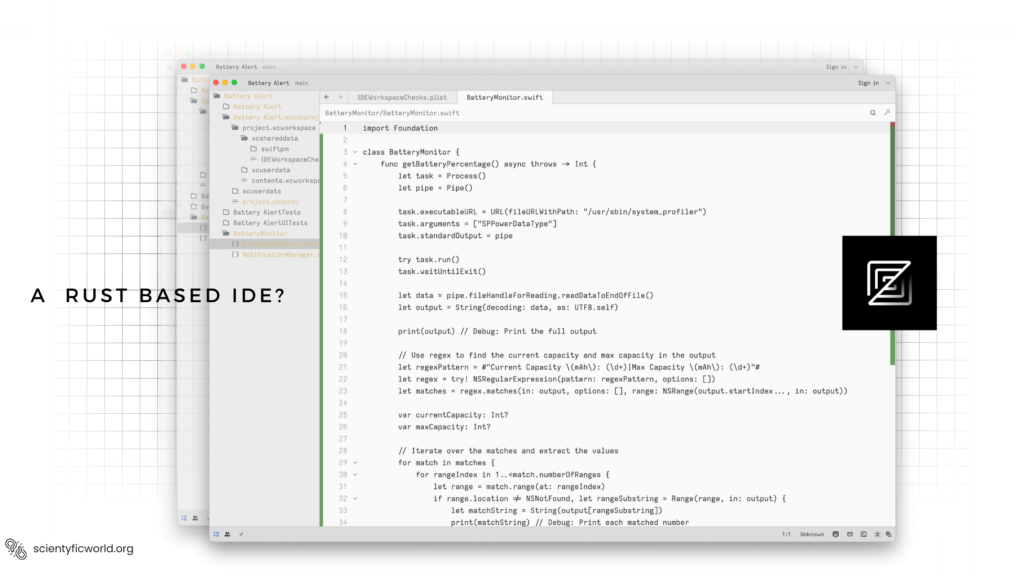
Zed is a code editor written in Rust, built around two ideas: it should feel instant, and it should be multiplayer from the start. This guide explains how it is built (the Rust codebase, the GPUI rendering framework, the rope text buffer, Tree-sitter, and the CRDT machinery behind collaboration), what has changed since early 2024, and how to judge its performance claims for yourself.
Updated October 2026: this post was written in February 2024, when Zed was a macOS-first editor. Since then it reached version 1.0 (29 April 2026), became available on Linux (July 2024) and Windows (October 2025), and added a large set of AI features. I re-checked the architecture sections against Zed’s own engineering blog and source repository and corrected several errors: the original said Zed renders with DirectX (it uses a different API on each operating system), guessed that collaboration uses WebRTC, and showed a benchmark chart I could not source. I removed those, and added the AI, pricing and licensing details that matter today.
What Is Zed?
Zed describes itself as a high-performance, multiplayer code editor from the creators of Atom and Tree-sitter (GitHub), written from scratch in Rust to use multiple CPU cores and the GPU (zed.dev). Rather than being built on a web view like Electron-based editors, it is a native application with its own UI framework.
Its headline features today, per the product site and the 1.0 announcement:
- Speed: native rendering on the GPU and a design aimed at low typing latency and fast startup.
- Collaboration: shared projects, real-time multiplayer editing, voice chat and screen sharing.
- AI built in: an agent panel, parallel agents, an inline assistant and “edit prediction” (suggestions for your next edit, powered by Zed’s open-weight Zeta models). Zed can also host external agents through the open Agent Client Protocol (ACP).
- Developer basics: Language Server Protocol support, native Git integration, a built-in debugger based on the Debug Adapter Protocol, and remote development over SSH, where the interface runs locally and the code lives on a remote machine.
- Platforms: macOS, Linux and Windows.
Version 1.0, according to its founder Nathan Sobo, does not mean “done” or “perfect”; it means most developers can quickly feel at home. It also remains an editor under very active development, so details here will keep moving.
Licensing and Pricing
Zed is open source. The main repository is licensed GPL-3.0-or-later, with some components, such as the GPUI framework, under Apache-2.0. The editor itself is free to use. The optional AI services are priced separately; at the time of writing, Zed’s pricing page lists:
- Personal: free, with 2,000 accepted edit predictions per month and unlimited use of your own API keys or external agents.
- Pro: $10 per month, with unlimited edit predictions and $5 of monthly AI token credits, billed by usage beyond that.
- Business: $30 per seat per month, adding organisation-wide AI policies, data controls and role-based access.
You can use Zed with all AI features turned off, and you can bring your own model providers (the pricing page lists Anthropic, OpenAI, Google, Ollama, LM Studio, OpenRouter and others). Plans change, so confirm on the pricing page.
How Zed Is Built
Rust
Rust is the foundation. The original post described it generically; the points that actually matter for an editor are these:
- No garbage collector. Memory is managed deterministically, so there are no collector pauses in the middle of typing or scrolling.
- Safe concurrency. Rust’s ownership rules make it practical to push heavy work (parsing, language-server communication, search) onto background threads without data races. Zed relies on this heavily; for example, it hands a snapshot of the text buffer to a background thread for syntax parsing after each edit (see the rope section below).
- The trade-off. Rust builds are slow and the language has a learning curve, which affects how quickly contributors can get started. Memory safety does not make an editor bug-free either; it removes a class of crashes, not logic errors.
GPUI: the GPU-rendered UI framework
Zed does not use a DOM or a platform widget toolkit. It uses its own framework, GPUI, which the project describes as a hybrid immediate and retained mode, GPU-accelerated UI framework for Rust. In Zed’s own write-up of the rendering design, the approach is borrowed from video games: rather than attempting arbitrary 2D graphics, GPUI focuses on the few primitives that make up most interfaces (rectangles, shadows, text, icons and images) and draws them with shaders. Rounded rectangles are computed with signed distance functions, shadows use a Gaussian approximation, and text is shaped and rasterised by the operating system’s own text APIs, with glyphs cached.
Applications describe their UI through an Element abstraction: layout constraints flow down a tree, elements paint into a platform-neutral scene of primitives, and the scene is rendered in one pass. The graphics API differs by platform, which is a point the original post got wrong:
| Platform | Graphics backend |
|---|---|
| macOS | Metal |
| Linux | Vulkan, through the Blade renderer (X11 and Wayland) |
| Windows | DirectX 11, with DirectWrite for text |
Sources for the table: the GPUI README (Metal, Vulkan via Blade, DirectX), the Linux launch post (a Blade-based renderer with X11 and Wayland) and the Windows launch post (DirectX 11 and DirectWrite). GPUI is still pre-1.0, and its maintainers warn that breaking changes are expected, which matters if you were thinking of building your own app on it.
Rope and SumTree: how text is stored
The original post left out one of the most important pieces. Zed does not store a file as one big string. It uses a rope, built on a data structure called a SumTree. According to Zed’s own explanation, a SumTree is a B+ tree whose nodes carry summaries of their children, shared through reference-counted pointers; a rope is a SumTree of small text chunks (up to 128 characters each). Inserting, deleting and replacing text takes O(log N) time, and the summaries let the editor jump to a line number or character offset without scanning the file. Because nodes are shared and immutable, taking a snapshot of the whole buffer only needs a reference-count bump, not a copy. That is how Zed can give a background thread a consistent view of the text to parse while you keep typing. The article says there are more than twenty SumTree implementations across Zed, for things like files, Git blame and diagnostics.
Tree-sitter
Syntax highlighting and structural understanding come from Tree-sitter, an incremental parser library (created by members of the Zed team) that updates the syntax tree efficiently when text changes instead of re-parsing a whole file. Zed uses it for highlighting, code outline and structural features such as syntax-aware tasks. See Zed’s post on syntax-aware editing.
Extensions
Zed extensions, such as languages, themes and (more recently) agent integrations, are WebAssembly-based according to the Windows launch post, which describes WebAssembly Component extensions running with controlled file-system access. That sandboxed model is different from the extension model of VS Code, where extensions are JavaScript running in a separate extension host process.
Real-Time Collaboration and CRDTs
Collaboration is not an add-on. Zed’s founders have said they built the editor “from the ground up” around CRDTs and collaborative text editing. In the app, you collaborate through channels (persistent rooms with shared projects and voice chat) or private calls with your contacts, and you need to sign in to use the features (collaboration docs). Zed’s documentation notes that the shared project runs on the host’s machine, and that sharing a project gives collaborators access to your local files in it, so only collaborate with people you trust.
What a CRDT is
A CRDT (conflict-free replicated data type) is a data structure designed so that replicas can apply edits in different orders and still end up identical. In a collaborative editor, that means you can edit locally with no waiting on a server, then merge with other people’s edits without a central authority deciding who wins. CRDTs come in two broad kinds: state-based ones exchange and merge the whole state, while operation-based ones broadcast individual operations. Zed uses an operation-based, operation-centric design.
How Zed’s text CRDT works
The original post described CRDTs only in general terms. Zed’s own article on CRDTs gives the actual design:
- Insertions get unique IDs: each is a replica ID combined with an incrementing sequence number, so replicas can generate IDs concurrently without collisions.
- The document is a list of immutable fragments, each tagged with the insertion it came from.
- Positions are anchors, logical references such as (insertion ID, offset), not absolute character offsets, so a cursor or selection keeps pointing at the right text when other people edit around it.
- Deletions use tombstones: deleted text is hidden but retained so anchors can still be resolved, and each deletion carries a version vector recording what the deleting replica had seen, so concurrent inserts inside a deleted range are handled correctly.
- Concurrent inserts at the same spot are ordered by Lamport timestamps, giving every replica the same result.
- Undo and redo use an undo map that counts how many times each operation was undone or redone (odd means undone), rather than simple stacks, so you can undo your own changes in any order during a collaborative session.
The costs are the ones you would expect: tombstones and per-insertion metadata use extra memory, and the data structures are harder to design than an ordinary text buffer. This is presumably why Zed combines the CRDT design with the SumTree machinery above rather than treating the CRDT as a separate layer. I could not verify details of Zed’s server or voice and screen-sharing transport from the sources I checked, so I have left them out; the original post’s statement that it “likely utilizes WebRTC” was a guess.
AI Features and the Agent Client Protocol
The biggest change since 2024 is that Zed is now positioned as an editor for working with AI agents. According to its site and blog, it has an Agent Panel, inline assistant, parallel agents (introduced April 2026) and edit prediction driven by its Zeta models, which Zed says are open-weight. You can run Zed’s built-in agent with your own API keys, or connect external coding agents. For the latter, Zed promotes the Agent Client Protocol (ACP), an open, Apache-licensed standard that lets agents work with editors. Zed’s ACP page lists Zed, JetBrains IDEs, Visual Studio Code, Neovim and Emacs among supporting editors, and agents including Claude Agent, Gemini CLI, Codex CLI and GitHub Copilot. If you use a coding agent from a terminal today, ACP is the mechanism for making it work inside an editor instead. For related background, see what is Model Context Protocol, which solves a different problem (connecting models to tools and data), and what is an agentic AI.
Performance: What You Can and Cannot Claim
The original version of this post included a chart comparing Zed with Sublime Text, VS Code and CLion on startup time, memory and typing latency, and concluded Zed “leads in all categories”. I removed it. I could not find the underlying methodology, the hardware, the versions or the date, and editor performance numbers go stale quickly. What I can say, supported by the design above, is why Zed should be fast: native code with no web runtime, GPU rendering, a rope buffer with O(log N) edits and cheap snapshots, and background parsing.
Whether it is faster for you depends on your machine, project size and extensions. A fair way to compare editors yourself:
- Use the same machine and the same project, with each editor in a clean profile, then again with the extensions you actually use.
- Measure startup to a usable window (a tool such as
hyperfineworks for command-line launches), memory after opening the same set of files, and responsiveness on your biggest file. - Record versions and repeat several times, since the first launch after a reboot is slower.
- Weigh the result against features: speed is one reason to choose an editor, but not the only one.
Should You Use Zed?
Zed is a strong choice if you value a fast, native editor, want real-time collaboration built in, or want a modern editor that treats AI agents as a first-class workflow, including the option to bring your own model or turn AI off. It is also worth watching if you are interested in how editors are built, since its engineering blog is unusually detailed. Reasons to hesitate: a smaller extension ecosystem than the large incumbents, a pre-1.0 UI framework underneath, and a product that is changing quickly.
What language is Zed written in?
Rust. Zed uses its own GPU-accelerated UI framework, GPUI, instead of a web view or a platform widget toolkit.
Is Zed open source and free?
The editor is open source (GPL-3.0-or-later, with some Apache-2.0 components such as GPUI) and free to use. Optional AI services have a free Personal plan, a $10 per month Pro plan and a $30 per seat per month Business plan, and you can use your own API keys or turn AI off.
Does Zed work on Windows and Linux?
Yes. Zed is available on macOS, Linux (since July 2024) and Windows (since October 2025), and reached version 1.0 on 29 April 2026.
How does Zed do real-time collaboration?
Zed uses an operation-based CRDT for its text buffer, with unique insertion IDs, immutable fragments, tombstones for deletions and Lamport timestamps to order concurrent inserts, so that every collaborator converges on the same text.
What is the Agent Client Protocol (ACP)?
ACP is an open, Apache-licensed protocol that lets AI coding agents work inside editors. Zed promotes it, and it is also supported by editors such as JetBrains IDEs and Neovim.